Back to FAQ
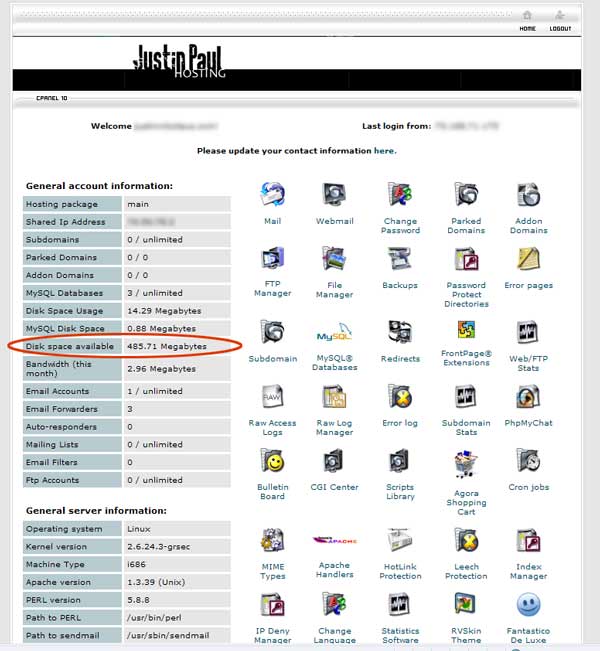
Email space available.You can use all the space on your server for your website files and your email files. Check how much space do you currently have available.Login to your control panel.
Back to FAQ |
Back to FAQ
Email space available.You can use all the space on your server for your website files and your email files. Check how much space do you currently have available.Login to your control panel.
Back to FAQ |
.