Back to FAQ
Spam Assassin
SpamAssassin has settings that you can edit that can help tweek the amount of spam you receive.
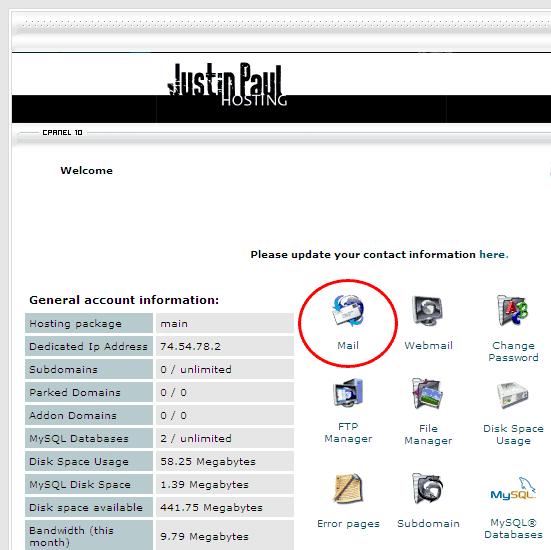
- Login to the control panel and click on the mail icon.
- Choose SpamAssassinn from the Mail Manager.
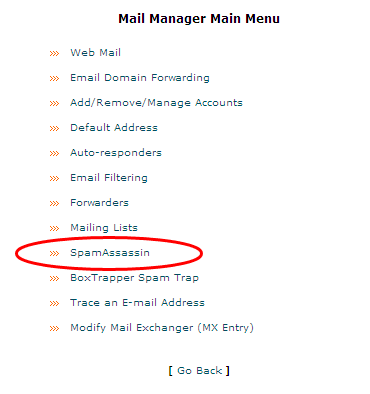
- Click on the Configure SpamAssissan option.

- The two settings that I think are most important are the "required score" and "whitelist" settings.
The "score" is the sensitivity of the spam sensor. The higher the score (10) the more email it will let through, the lower the score (1) the more spam and possible legitimate email will be caught. The scale is from 10 to 1 with 0 being disabled.

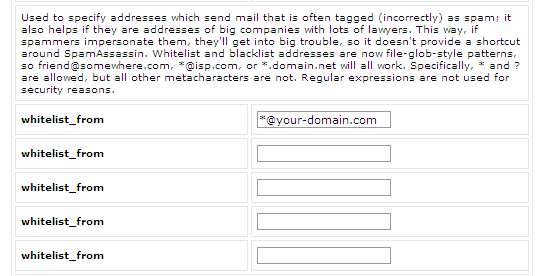
- The "whitelist" are email addresses that you choose that will never get caught in the spam filter. Entering in your own domain, major clients domain, and other frequent email addresses are a good idea. Instead of entering in each email at a domain you can use the wildcard character " * ". Using the wildcard before the domain will imply all emails from that domain.
- Then click Save to keep your settings.
Back to FAQ
|