Back to FAQ
Webmail
Before starting:
- Make sure your domain name loads. If it doesn't load your your email account wont work.
- Make sure you have setup your email accounts. Instructions are here to setup email accounts.
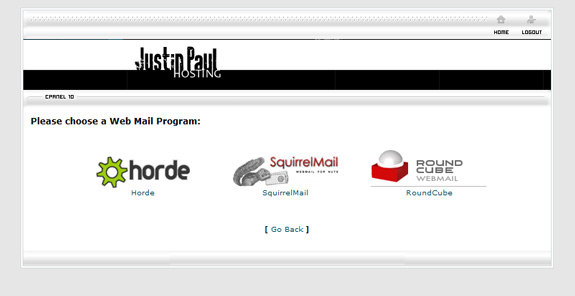
You are now ready to login in to your web mail. You have the option of 3 different webmail solutions. They are Round Cube, Horde Mail, and Squirrel Mail. All of them work just fine.
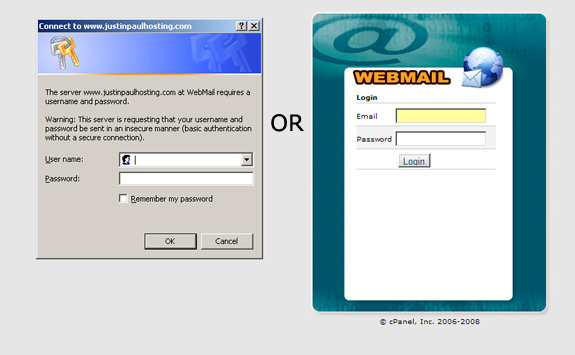
- Type www.yourdomain.com/webmail into your browser. One of the two screens will appear. Enter in your email address and password.
- The next page will list the webmail interface options you have. You can access all of your email that is on the server from any of the interface options. You can switch between them. Click on one of them to view your email.
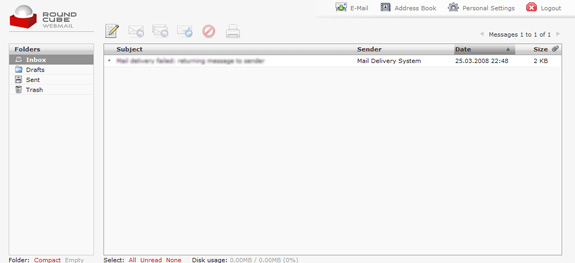
- This is what the Round Cube webmail interface looks like. I personally think this is the best one out of the three and recommend using it.
- This is what the Horde webmail interface looks like.

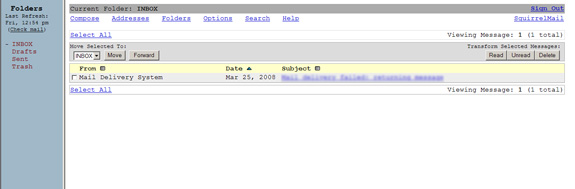
- This is what the Squirrel webmail interface looks like. This interface doesn't use any graphics.
Back to FAQ
|